Review Comments (0) Screenshots (3) Questions & Answers (0) Votes (0) Awards (3) Wiki  
-Please log in to rate
0 0/5 (0)
-Acelogix
-3.25
- www.acelogix.com
-Freeware
- 340 people
Download Startup Guard

324.3 KBDownloaded 50 times

It is possible that the download link provided above does not refer to the intended version. If you are looking for Startup Guard, you may try searching for a download link using Google.


Review

This review applies to version 1.2 The latest version of this software will soon be reviewed by our informers.

If your computer is connected to a network and you are an active Internet user you should protect your computer from different types of malicious software, like viruses, spyware, adware and many more. Startup Guard is a tiny application by Acelogix that was developed to help you with this problem.

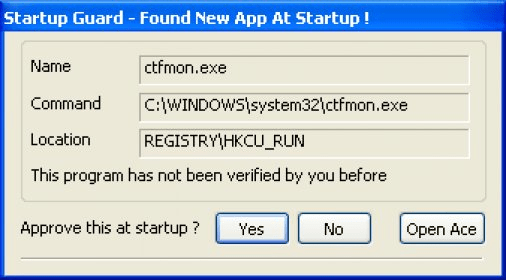
Startup Guard runs in your system tray and notifies you about any program that is trying to add itself to your startup. When such an event takes place, a notification appears in your tray. Using it you can enable or disable adding the new entry to Startup.

Startup Guard has a very friendly interface. It includes a small configuration section that can be used for customizing the performance of the application. The program also has some extra features. For example, the program can inform you about changes of the home page in your web browser. The application is very lightweight and has low system requirements, so it won’t slow down the performance of your computer. It is also absolutely free and can be easily downloaded from the developers' home page.
Advantages
  • It's free.
  • Low system requirements.
Disadvantages
  • Poor design.

Reviewed by: Ilya Barmenkov

Reviewer rating: Editor's rating 4

Screenshots

Tray notification Tray notification Tray menu Tray menu About About

Latest comments


There are no comments, be the first one!
Add new comment
Tag cloud
Download siClient

Email Address:

Password:

Register now »

Forgot password?

Copyright © 2009, Informer Technologies, Inc. About| Privacy and terms| Help| Feedback